 Majal
Majal The file arrives pre-coloured, and that is the problem
A real structural export is not a neutral geometric description. Tekla writes
Object coloring: ByObjectClass into the header and ships a styled item per
class. Faithfully drawing the file's own colours therefore puts twenty saturated tones
on screen at once, and the model reads as confetti.
The deeper objection is that the colours are not true. Concrete is one colour in life. A slab and a beam are not different colours on a site; they are different shapes. Shape, shadow and edges are what tell them apart, and they do it without a legend at all — nobody has ever needed a key to identify a stair.
So Majal's default is a single neutral material with drawn edges, and colour is kept for answering a question you have actually asked.
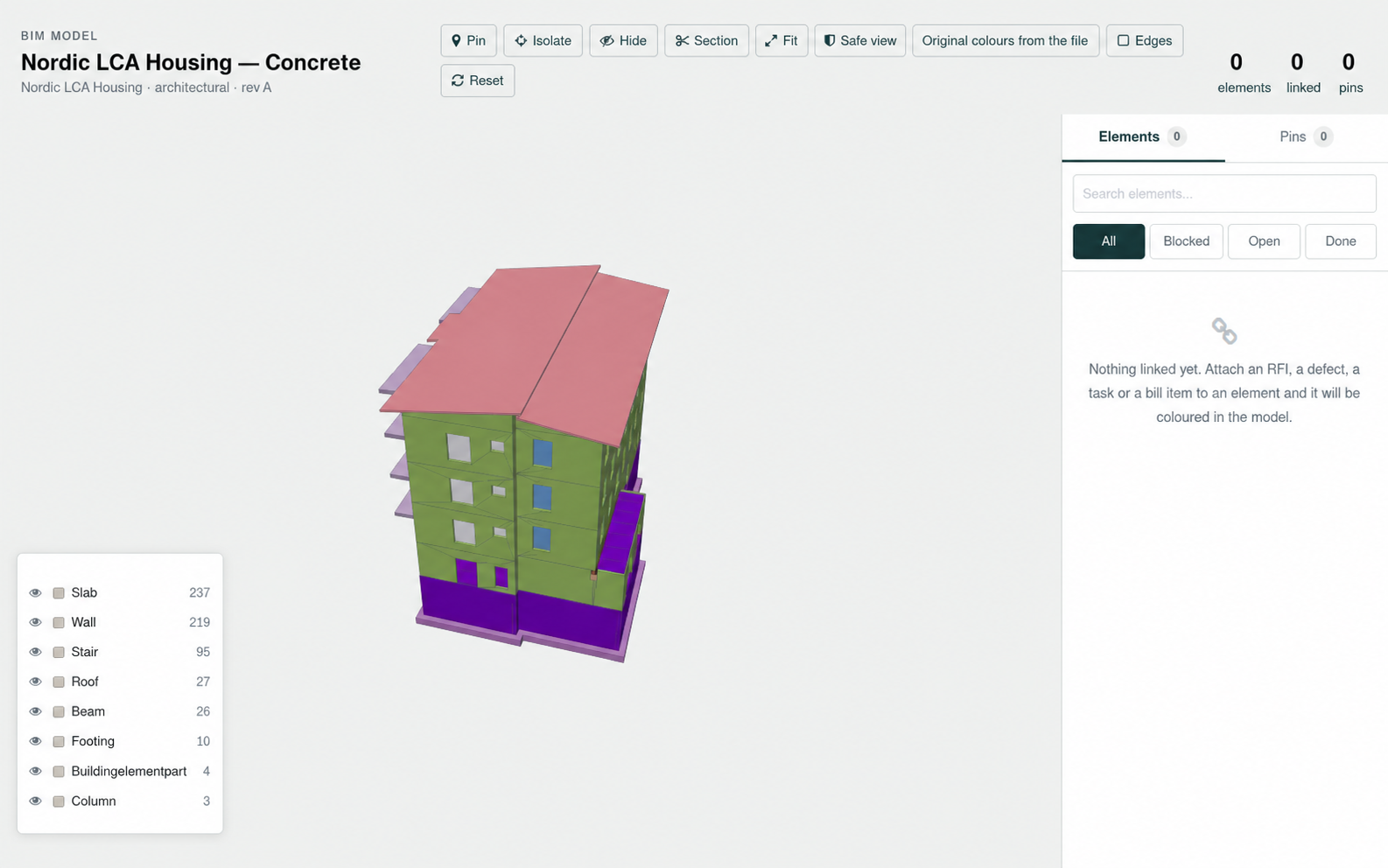
Edges are a real decision, not a filter
Edge extraction has a threshold, and getting it wrong destroys the thing it was supposed to help. Anything flatter than about 22 degrees is a tessellation seam inside one face rather than a real corner — and drawing those turns a curved wall into a wireframe. The angle is the difference between "this reads as a building" and "this reads as a mesh".
What colour is for
In Majal, colour is spent on questions, one at a time:
- Open items. Elements carrying linked records are drawn in the colour of their worst open item. Not all records, not a count — the worst one, which is the thing a person scanning a model is looking for.
- 4D. What is under construction on the chosen day gets one colour, because the question the date slider answers is "is this up yet", not "how far along is it". A gradient here would invite a reading the data does not support.
- Discipline, when models are federated. Overlaid models are tinted so a duct is recognisable as the mechanical model's duct without reading a legend.
- Class, when you ask for it. Six hues and a neutral for the tail — off by default, on when the question is "where are the columns".
The honest thing about the class palette
The six-colour class palette was validated with a palette checker against the viewer's own background: it passes the lightness band, the chroma floor, adjacent colour-vision-deficiency separation and the normal-vision floor.
It does not pass an all-pairs check — and no six-colour set does. The checker's own reference palette caps at three colours for that case. Every class being on screen at once is the all-pairs case.
That is not a bug to be argued away; it is a constraint that dictates the design. Because the palette cannot carry the load alone, colour is never the only encoding:
- the legend names each class and can isolate it, so ambiguity is one click from resolution;
- the legend is ordered by count, so it doubles as a description of what is actually in this model;
- and the geometry itself is the strongest cue of all — a stair is stair-shaped whatever colour it is.
The general rule: if your palette fails all-pairs, do not ship a view where all pairs are on screen without a second channel. Most dashboards fail this test and ship anyway.
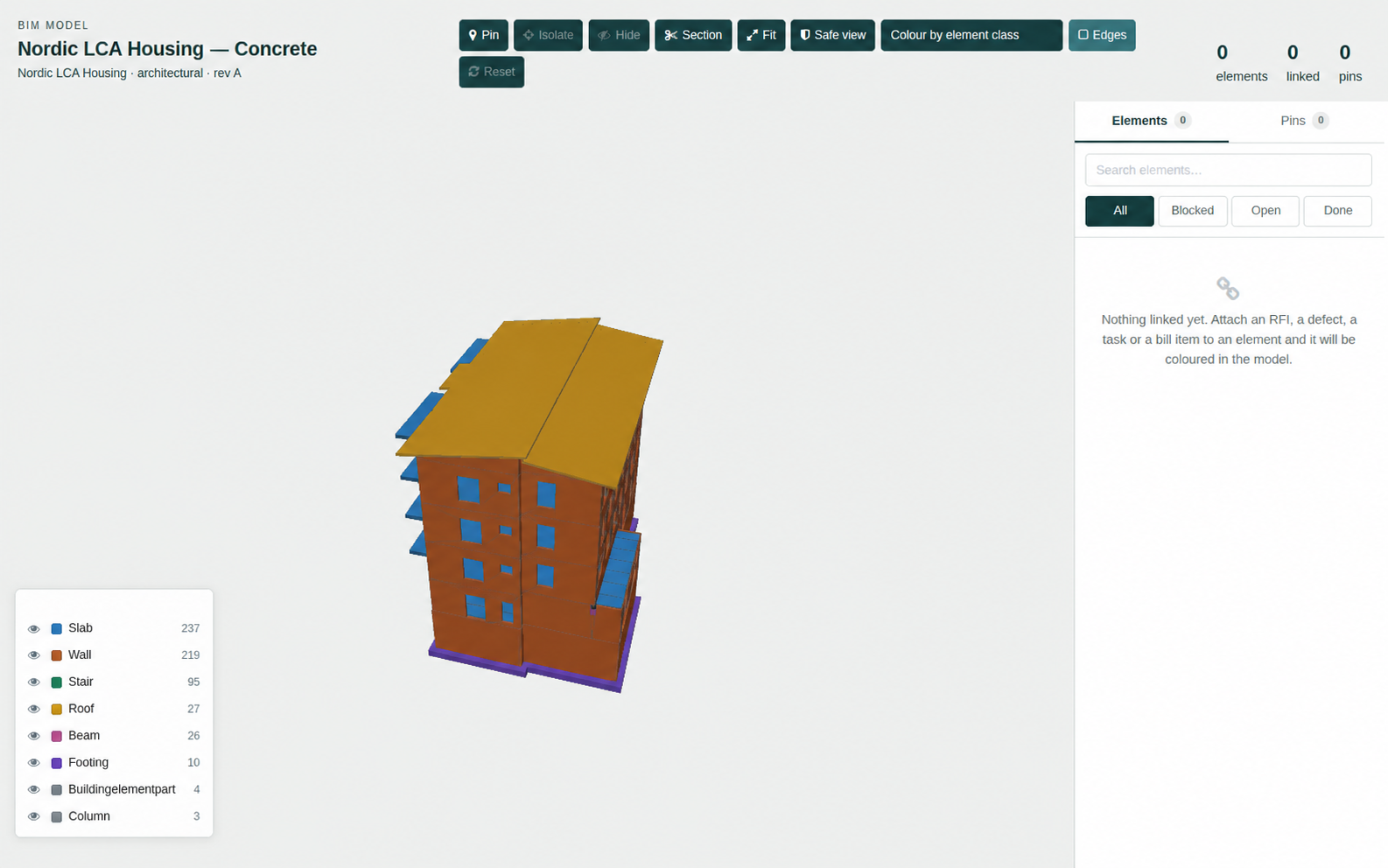
IFCWALLSTANDARDCASE and IFCWALL are both "Wall" to
somebody looking at a building — it orders by count so it also describes what is in
the model, and each row can isolate its class, which is the answer to any legend
entry you cannot tell apart by colour.
Naming is part of the visual design
IFC type names are SCREAMING_CASE and frequently carry a variant suffix nobody wants in
a legend. IFCWALLSTANDARDCASE, IFCWALLELEMENTEDCASE and
IFCWALL are three schema distinctions and one real-world object. They map
to "Wall".
This is not cosmetic. A legend with three wall entries reads as three things, and the reader spends attention working out that it is one. Collapsing the schema's variants into the words a building person uses is the same kind of work as choosing the palette, and it is more often skipped.
Why this matters beyond aesthetics
The purpose of Majal's BIM module is not to display a model — it is to make a model a record. Elements are linked to RFIs, defects, tasks and bill items on their GlobalId, so the links survive the model being re-issued. The viewer exists so somebody can see those links.
A view that colours everything at once cannot do that job, because the one element carrying an open RFI has nothing to stand out against. Restraint in the default view is what makes the exception legible. That is the whole argument, and it applies well outside BIM.
The viewer ships in construction_bim, drawing geometry in the browser
with web-ifc and three.js. The server never parses geometry.
See the feature summary, including the stated limits →